OmniSDR

your click-and-tune multi-band panadapter
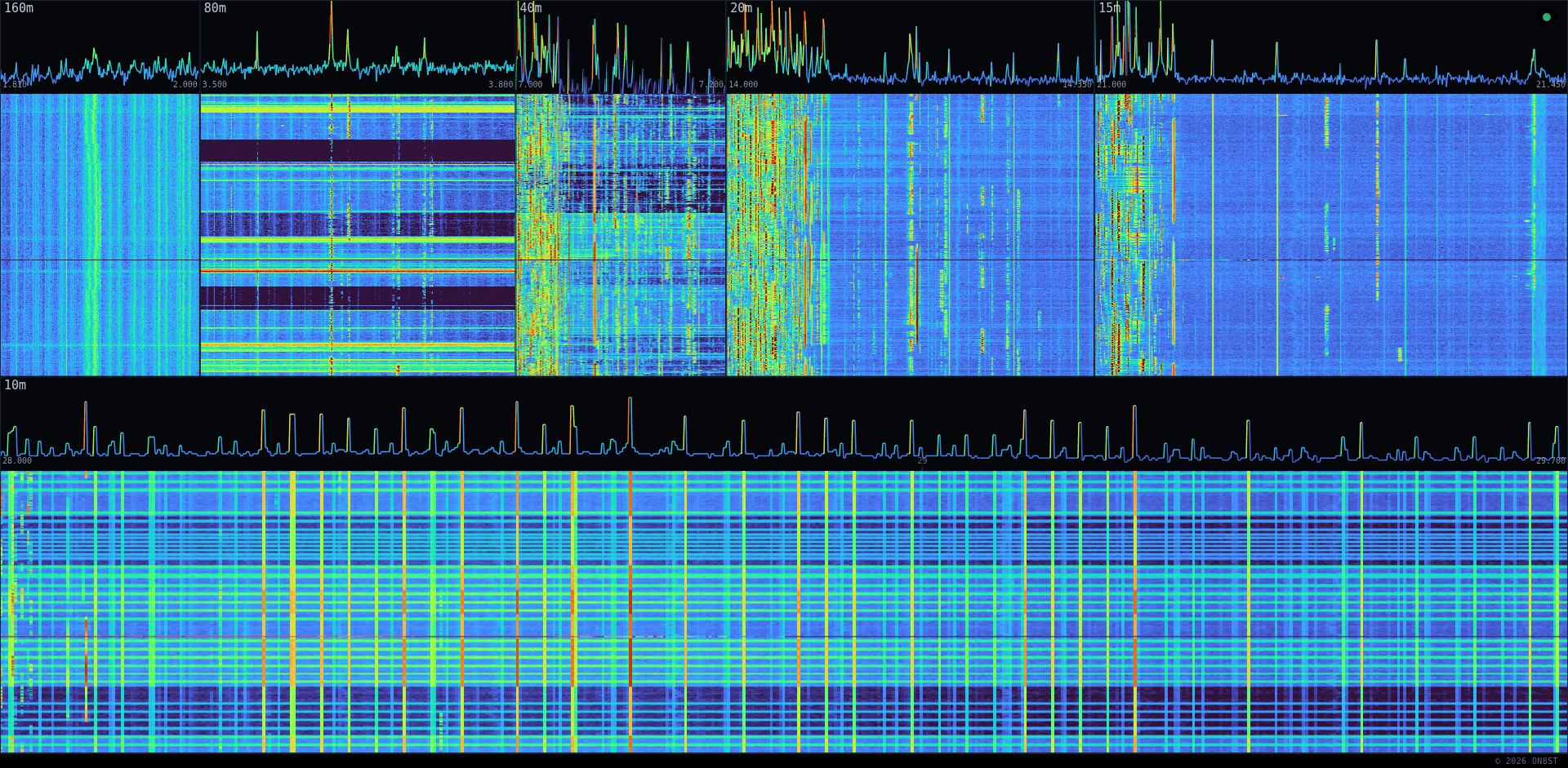
Screenshot of OmniSDR: multi-pane HF waterfall display with live signal activity across several bands
OmniSDR live — multi-pane waterfall, two minutes after page load. Click to open the real thing.

From the Internet

OmniSDR drives the companion UberSDR session — click a signal on the spectrum and the UberSDR tab tunes there. The marker follows UberSDR's dial in both directions.

From your LAN (running your own instance)

OmniSDR can tune any device on your LAN — UberSDR plus auto-discovered rigctld rigs. Pick the active ones in Right-click → Targets ▸; ticked targets tune in parallel.

Markers: amber = UberSDR · cyan = local rig.

Right-click menu

Shortcuts

F fullscreen · Esc close · Right-click menu

Scope gating — public viewers can't drive local rigs

OmniSDR is reachable on the LAN (192.168.36.221:8086) and via the public Internet (omnisdr.on8st.be through Caddy). The server classifies every WebSocket at handshake time: the real client IP is read from X-Forwarded-For only if the connection itself arrives from the trusted Caddy upstream, so a remote client can't fake a LAN IP. LAN → scopes {shared, local}; public → {shared} only.

Click-and-tune-the-shack is LAN-only. Click-and-tune-UberSDR is for everyone.

Hardware & stack on the Pi 5

Read bottom-up: physical hardware on the floor, apps on top. Every layer consumes from the layer beneath it.

┌────────────────────────────────────────────────────────────────────────┐
│  Pi 5  (192.168.36.221)                                                │
│                                                                        │
│      ┌────────────────────────┐    ┌──────────────────────────┐        │
│      │  ka9q_ubersdr          │    │  omnisdr                  │       │
│      │  per-band audio + UI   │    │  multi-band spectrum + UI │       │
│      └────────────▲───────────┘    └────────────▲──────────────┘       │
│                   │ multicast                   │ multicast             │
│                   │ (audio I/Q channels)        │ (spectrum, poke mode) │
│                   └─────────────┬───────────────┘                       │
│                                 │                                       │
│         ┌───────────────────────┴────────────────────────┐              │
│         │   sdr-network  (Docker bridge — multicast)     │              │
│         │   control + I/Q + spectrum                     │              │
│         └───────────────────────▲────────────────────────┘              │
│                                 │                                       │
│              ┌──────────────────┴─────────────────────┐                 │
│              │  ka9q-radio  (radiod)                   │                │
│              │  owns the SDR, runs the FFTs            │                │
│              └──────────────────▲─────────────────────┘                 │
│                                 │ ① USB-3 in  (host port)               │
│                                 │    data + bus power                   │
│              ┌──────────────────┴─────────────────────┐                 │
│              │  Y USB-3 cable — 3-port junction        │                │
│  5 V PSU ────┤  ② USB 5 V in  (extra power, no data)   │                │
│              └──────────────────▲─────────────────────┘                 │
│                                 │ ③ USB-3 + 5 V out                     │
│                                 │    data + combined power              │
│                         ┌───────┴────────┐                              │
│                         │  RX888 mk2     │  vendor: 5 V / 2 A;          │
│                         │  wideband HF   │  >1 A typical, ~1.5 A peak   │
│                         │  SDR (USB 3)   │  vs USB-3 nominal 900 mA     │
│                         └────────────────┘                              │
└────────────────────────────────────────────────────────────────────────┘
LayerWhat sits hereWhy
HardwareRX888 mk2 on USB 3, attached via a Y USB-3 cable (3-port junction: ① USB-3 in from host, ② USB 5 V in from a wall PSU, ③ USB-3 + combined 5 V out to the RX888)The actual radio. Single, exclusive to radiod. The vendor rates the device at 5 V / 2 A (≈10 W); the related Web-888 draws more than 1 A typical with peaks around 1.5 A (Web-888 power guide), and community measurements on the Mk2 USB confirm the same range (NextGenSDRs thread). That's well above the 900 mA a single USB-3 port nominally provides, so the Y cable's port ② injects supplemental 5 V from a separate source on top of the host-port bus power coming in on ①. Current scales with sample rate, which also drives the thermal load (KA7OEI on RX-888 thermals).
Radio backendka9q-radio / radiodOwns the SDR, runs the FFTs, exposes everything else via multicast.
Bussdr-network Docker bridge multicastOne pipe for control, I/Q channels, and spectrum. Containers join this bridge to talk to radiod without going through host networking.
Appska9q_ubersdr (audio UI) & omnisdr (spectrum + tune dispatcher)Both consume from the multicast bus; neither talks USB.
BrowserUberSDR tab + OmniSDR tabThe operator's two tabs talk to each other via postMessage (the bridge inside the UberSDR page).

Want to try it?

Open omnisdr.on8st.be. Don't open UberSDR yourself — when you click a signal on the OmniSDR spectrum, OmniSDR opens the UberSDR tab for you and tunes it in place. (A separately-opened UberSDR tab won't be picked up: the postMessage bridge only works on the tab OmniSDR launched, since it's the one that holds the window.opener handle.) On the LAN, the Targets menu also exposes any rigctld instance found on the network.

Source code

The OmniSDR source lives at on8st/omnisdr on GitHub. The repo is currently private, but I'm happy to flip it public if there's interest — drop me a note (stan@on8st.be / ON8ST) and I'll open it up.

Source: project documentation at /home/pi/omnisdr/docs/project/ on the Pi 5.